- Soluciones CRM
CRM Integration and Migration
To connect and organize your information
We connect your CRM with the tools your company uses and transfer the necessary information to maintain the continuity of the sales process.

Whether you need to integrate applications, automate the flow of information, or migrate data from another system, we design a solution that reduces manual work, prevents clutter, and facilitates the transition.
- Connected information
- Fewer manual tasks
- More orderly migration
The problem
When information is disconnected, the business process becomes more difficult.
Many companies work with various applications, spreadsheets, forms, acquisition channels, or legacy systems that are not properly connected to the CRM.
This can lead to manual work, duplicated information, errors, and a loss of continuity.
Insulated tools
Each system handles information separately.
Scattered data
Commercial information can be found in various sources.
Manual tasks
The team must copy or update information between applications.
Complex system changes
Moving information to a new CRM can become a risk if there is no planning.
Information should support the commercial process, not become an obstacle.
CRM INTEGRATION
We connect the CRM with the tools that are part of your operations.
We integrate the CRM with applications and channels so that information can flow automatically, allowing the team to rely less on manual tasks.
Forms and websites
We automatically register leads or contacts originating from the site.
WhatsApp and messaging
We integrate conversations or relevant information into the sales process.
Marketing and communication
We connect campaign and communication tools with customers.
Acquisition channels
We connect sources—such as digital campaigns or external forms—to the CRM.
Calendars and bookings
We link appointments and meetings with CRM activities.
Other applications
We integrate systems when there is a clear need for information exchange.
We don’t connect tools just for the sake of connecting them. We integrate what truly improves the process.
WHAT CAN AN INTEGRATION DO?
The integration can also trigger actions automatically.
An integration does more than just move information; it can also help the process continue automatically.
- Create a person and an opportunity when a new lead arrives
- Automatically assign a lead to the appropriate advisor
- Create a follow-up activity
- Update information when it changes in another system
- Notify the sales team
- Log an appointment in the CRM
- Apply rules to prevent duplicate records

CRM MIGRATION
We provide the information your team needs to continue working.
When a company switches its CRM or needs to consolidate information from various sources, we prepare and migrate the data to the new structure.
Contacts and companies
We transfer the key information regarding clients and organizations.
Activities
When possible and necessary, we transfer follow-up information.
Products and services
We organize product-related information when it is part of the process.
Opportunities or businesses
We migrate open opportunities or relevant commercial information.
Custom fields
We map specific company data to the new structure.
Additional information
We evaluate what other data have value for continued operations.
It’s not about migrating everything just for the sake of volume; it’s about retaining the information your business truly needs.
DATA PREPARATION
Migrating disorganized information just shifts the problem elsewhere.
An orderly migration begins before data is imported.
We review what information exists, what should be retained, and how it should be organized within the new CRM.
Step 1
We review the source: We identify what information is available.
Step 2
We define what to migrate: We select the data that is truly necessary.
Step 3
We map: We relate the previous structure to the structure of the new CRM.
Step 4
We clean: We identify duplicate, incomplete, or unnecessary information.
Step 5
We test: We conduct tests before carrying out the final migration.
Step 6
We validate: We check that the data has been correctly organized.
INTEGRATION OR MIGRATION
What does your company need?
INTEGRATION
When you need two or more tools to continue working while connected.
- CRM + web form
- CRM + Meta Lead Ads
- CRM + WhatsApp
- CRM + Calendar
- CRM + Marketing Platform
- CRM + sistema externo
MIGRATION
When you need to move information from an existing source to a new CRM or a new structure.
- Another CRM → new CRM
- Excel → CRM
- Google Sheets → CRM
- Previous sales system → CRM
- Database → CRM
- Different sources → a single platform
In some projects, both needs arise together:
first we migrate the information, and then we connect the tools that will continue to be part of the process.
HOW DO WE WORK?
First, we understand how information should move.
Step 1
We analyze the process: We review which systems are in place and what information the company needs.
Step 2
We define the flow: We establish what information must enter, exit, or be moved.
Step 3
We design the solution: We define the appropriate integration or migration.
Step 4
We configure or prepare: We build the integration or prepare the data.
Step 5
We test: We validate functionality before putting it into production.
Step 6
We execute and provide support: We implement the solution and review the results.

RESULTS
More connected information and a process with greater continuity
The goal is to reduce manual work, improve data quality, and ensure that information stays with the team throughout the entire sales process.
- Less duplication of information
- Fewer repetitive tasks
- Leads that arrive correctly in the CRM
- Better-organized data
- Greater continuity between tools
- More controlled migration
- Better information for the team
When information flows properly, the team can focus more on opportunities.
RELATED SERVICES
We can supplement the integration or migration with other solutions.
CRM Implementation:
When the new system needs to be configured from scratch.
Optimization and Customization:
When the existing structure requires specific improvements or adjustments.
Training and Adoption:
When a system change or new integrations require preparing the team.
Support:
To address subsequent issues or adjustments.
- Pipedrive
Integration and Migration to Pipedrive
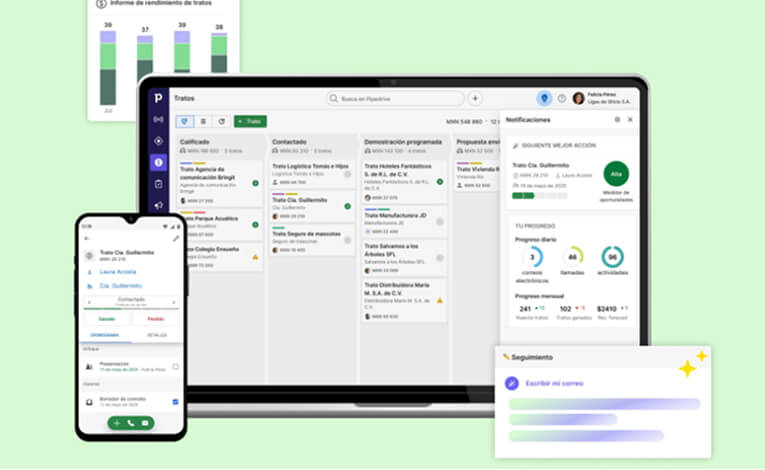
As a Pipedrive partner, we help connect the platform with the applications and channels that are part of your sales process—leveraging available integrations, automation tools, or custom solutions tailored to your specific needs.
We also assist in preparing and migrating data from other systems or sources into Pipedrive, ensuring it aligns with the structure of your new sales process.
DO YOU HAVE DOUBTS OR QUESTIONS? WE ARE HERE TO HELP YOU.
WE ARE A PIPEDRIVE CERTIFIED PARTNER.
We provide support to all Pipedrive users.
We help them enhance their CRM through training for sales and management teams, process optimization, automations, integrations, and guidance based on best practices and experiences to achieve their business goals.

Ready to optimize your business process?
Book a free consultation session and discover how Pipedrive can help you sell more.