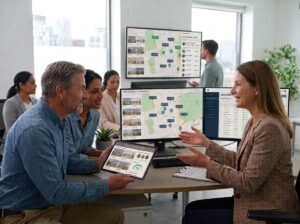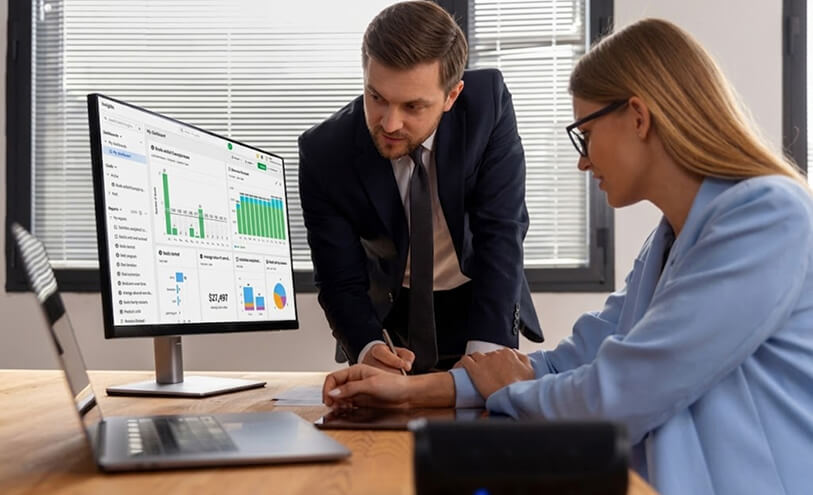

In this article, we guide you to design a successful sales presentation by exploring key questions to put yourself in your prospects’ shoes.
As a business owner or sales professional, you know how important it is for potential customers
to see what’s under the hood before buying a car. A sales demonstration
is one of the few activities that allows you to reveal the inner workings of your product or service to an audience.
A good demonstration can also help you gain qualified sales leads by directly connecting your product to their needs. This is because people care less about the actual solution you’re selling than about the difference it can make in their lives.
What is a sales demonstration?
A sales demonstration is a presentation given to potential buyers to
showcase both the features of a product or service and the value it’s
designed to provide. It’s important to demonstrate that you can:
- Be familiar with your potential customer’s weaknesses.
- Understanding what needs to be achieved.
- Solve specific problems or achieve current goals.
If your demo doesn’t make your potential customer want to buy your solution immediately,
it should at least move them in that direction.
Questions to prepare your sales demonstration
Ask yourself the following questions before preparing your presentation:
1. What does your potential client need?
Step 1: Determine the weaknesses and requirements of your potential customer.
One of the surest ways to become a trusted sales consultant is to do
the work necessary to find out who your potential customers are and what their concerns are.
To uncover important details about who you’re selling to, use company webinars
or emails to gather key information. For example, use
surveys to collect feedback during your webinar or add one to your
promotional emails.
The information you gather will help guide your sales demonstrations.
- What does your company do?
- Who are your competitors?
- What specific problems are you experiencing?
The answers to these questions will help you tailor your presentation to your
client’s situation.
Why customize a demo?
Take a moment to consider how much more engaged potential buyers become when you tailor your sales calls, presentations, and prospecting efforts directly to them. Sales demonstrations are no different.
Research and preparation are essential to understanding the specific needs of your potential client, instilling confidence, and eventually closing the sale.
To illustrate with an example, imagine for a moment that your company’s activity is selling the Pipedrive CRM Software, a solution used to manage sales opportunities in companies whose sales are of the B2B type (business-to-business sales) or B2C (business-to-consumer sales).
Now imagine a prospect who is considering acquiring a CRM, so you have done some research such as: that said prospect, “ACME Corporation,” is an SME-type organization, which is in the Financial, Insurance, Marketing, Technology, Real Estate or other
sector, and that the problem they want to solve is the lack of management and follow-up on the progress of sales opportunities.
Given this scenario, you should not prepare a demonstration based on common sales challenges and solutions; rather, thanks to the research carried out on the problem at “ACME Corporation,” you should prepare a customized demonstration of your product or service (in this case, the Pipedrive CRM software) that shows how it will solve the problem of the lack of follow-up by salespeople.
Keep in mind that once your potential client has accepted your demonstration, you should also take the necessary steps to ensure that the right people are present at that demonstration.
2. Who should be in the room during the demonstration?
Step 2: Invite people with buying authority
Before starting your demonstration, make sure that key stakeholders and
decision-makers will be in attendance.
To find out who those people are, ask your sales contact:
- Who will use this product or service?
- Who will approve your purchase?
- How does your purchasing process work?
In many cases, B2B purchasing decisions are made by a company committee or a group
of decision-makers from different departments. Therefore, it is important
to understand the individual roles of the various stakeholders involved.
According to Gartner, a leading global consulting and research firm in the
new technologies market, customers who perceived that the information they received from
suppliers was useful in advancing their purchasing efforts were 2.8 times more
likely to experience a high degree of ease of purchase.
In other words, the better you understand their roles, the easier it will be for stakeholders
to make a purchasing decision. However, that doesn’t mean you should focus
all your efforts on those with the longest tenure or purchasing influence. Everyone
involved will have a say in any agreement that eventually comes to fruition.
Confirm and follow up with guests
Once you have determined who to invite and have verbally confirmed their
availability, you should immediately set a date and time for your demonstration and
send a calendar invitation or RSVP email to
each person attending.
Don’t forget to include all the necessary login information or indicate whether you’re presenting
via webinar or video conference. You may also want to inform
attendees you haven’t yet connected with in person about the highlights
of your company and offering.
To prevent your hard work from going to waste, make sure to:
- Allow sufficient time before the demonstration date to prepare and practice your presentation.
- Contact your potential client the day before your event to reconfirm that he and his colleagues will be attending.
- They are prepared to reschedule if key decision-makers need to postpone.
Remember, while it’s important to do everything possible to ensure that
someone with the authority to make a purchase is present, your demonstration should be structured
to have an impact on all members of your audience.
3. What sales approach should I adopt?
Step 3: Demonstration Structure
Although the goal of any sales demonstration presentation is to show what
your product can do, it is equally important to show how it can be tailored to the
needs of the potential customer in front of you.
There are two things to consider when determining your sales approach.
- Showing your audience that you understand their situation is essential
- People are more likely to buy things they can easily understand.
The initial research you conducted on your potential customer will provide you with the foundation you
need to:
- Recognize your weaknesses at the beginning of your demonstration
- Demonstrate exactly how your product or service can improve your current situation.
- Focus on reiterating and resolving your client’s specific problems throughout your presentation.
The potential of stories
In terms of tone structure, storytelling is an excellent way to
show your potential client that you understand what they are up against.
As human beings, we are programmed to respond to stories. Not only do they help us remember information better, but according to neuroscience studies, they also trigger the release of oxytocin, a pro-social brain chemical that makes us feel caring and safe.
By putting the capabilities of your solution in a colorful context, your customer will understand them and relate to them better.
That doesn’t mean you should avoid sharing facts, figures, or statistics. Rather, you should find ways to integrate product features or service benefits into stories of how they’ve helped satisfied, existing customers with similar challenges.
As you develop the structure of your proof, you should:
- Keep your audience engaged with short answer questions at all times
- Gather your thoughts about your offer immediately after your presentation.
- Ask your potential customer directly what the next step will be in their decision-making process
The point is to obtain on-the-ground information on how to close any gap that may still exist between the need and the solution.
If that’s not possible, be sure to at least follow up on your demonstration by sending a summary of the points discussed to your prospect and offering to address any questions or concerns that arise.
4. How long should your demonstration last?
Step 4: Plan your schedule
To show respect for your audience (and avoid rambling yourself), sales demonstrations must walk that fine line between flexibility and an urgent agenda.
Ideally, you’ll want to leave plenty of time for questions at the end. Statistics from Livestorm webinars—the all-in-one video engagement platform that lets you manage your online events from start to finish—suggest that 30 minutes to an hour is a good rule of thumb for most demo sessions.
It is also worth noting that, especially in the case of webinars or informal or group presentations, the timing of the demonstration is just as important as the duration.
“The day of the week also comes into play. Sales demonstrations scheduled early in the morning or late at night are less likely to be attended. Try scheduling your demonstration midweek, during business hours in your geographic area, for the best attendance results,” says Barnabe Lourdel, Head of Sales at Livestorm.
Regardless of the structure or approach you choose, you should begin your demonstration with a warm welcome and then take a moment to reconfirm your prospect’s needs and expectations against what you will cover in the allotted time.
Letting your audience know what to expect and updating them on your progress as you go through the demo will help them feel comfortable and keep you on track.
It’s also important to respond to comments and questions along the way as much as possible. Be sure to emphasize that you’ve left time at the end of your demo for a more in-depth Q&A session.
What tools or technology will you need?
Step 5: Choose and test your sales demo tools
Will your sales demo be delivered remotely or by some other means? To provide the best
possible support, try to be available to demonstrate your product or service in the
way that works best for your prospect. Livestorm: Browser-based webinars
It’s not uncommon, for example, to guide customers through a sales demonstration by phone, live chat,
or email. But face-to-face presentations are usually more effective.
If you can’t meet in person, consider using a video conferencing tool or video conferencing software like Livestorm (which can be integrated with Pipedrive CRM) to present your product or service. Just make sure the video chat technology you choose allows for easy screen sharing and includes features designed to streamline the demo sales process before, during, and after your event.
Livestorm’s suggestion is to look for a tool that:
- Be browser-based (to increase support and enhance security)
- Have engagement features (including chat, questions, and polls)
- Make automatic recordings
- Include marketing features
- Provide advanced analysis
- Facilitate team collaboration
You might also consider taking advantage of Pipedrive’s valuable features and add-ons, such as Scheduler, to set up and manage your sales demo invitations.
Regardless of the sales tools or technology you use, be sure to allow enough time to familiarize yourself with what it can do and verify that it works the way you need it to well before the demonstration.
What is the best way to showcase your product or service?
Step 6: Put your solution into action
A sales demonstration is meant to showcase your product or service in action. Whether you’re presenting virtually or in person, Barnabe suggests screen sharing as a great way to demonstrate your solution.
“Use screen sharing during your demonstration to present your product to your audience. They can follow along in real time and see exactly how your product can benefit them. You can also prepare videos in advance and upload them during your product demonstration or add slides and other media. Take every opportunity to clearly define how your product will help your audience,” he explains.
Make sure to clean up and disable the following in your shared viewing environment:
- Unrelated or personal apps and icons on your screens.
- Programs or websites that you will not use during your demonstration.
- Audio and on-screen notifications for instant messaging or email communications.
Having a moderator on hand is a great way to answer questions during the demonstration. A support representative can sit in the webinar room and provide helpful links to your help documentation during the webinar. At the end of the demonstration, you can answer these questions in more detail, showing your audience exactly what you mean by screen sharing.
Can you anticipate certain questions?
Step 7: Be prepared to answer inevitable questions
The better prepared you are to provide quick and helpful answers, the more likely you are to build trust with your audience.
Customize your landing pages to include forms that collect key information from potential customers. You can then tailor your demo to match this information.
You may also want to consult with other members of your sales team to find out what questions new leads and potential customers typically ask.
A common question you should expect is, “How much does your product or solution cost?” You’ll need to decide beforehand whether you’re prepared to discuss pricing or offer to provide a detailed sales proposal after the demonstration.
If you decide to answer questions about price, it is suggested that you:
- Put your price in context by emphasizing the value your solution represents in terms of cost savings or increased revenue.
- Be prepared to establish the ROI (return on investment) that a specific potential customer can expect.
- Exceed expectations by “anchoring” your price to a higher number: introduce higher-priced options first, for example, and then reduce the cost of the solution that best suits a particular customer.
Just like when telling a story, it’s worthwhile to use sales data to help prepare for and answer potential customers’ questions. The numbers or percentages that reflect your product’s success provide real value from a decision-making and trust-building perspective.
Finally, be sure to record and use the questions and concerns raised during your sales demonstration to guide follow-up conversations and improve future interactions.
As Barnabe points out:
“Questions submitted through the questions tab of your demo software (such as Livestorm) can be saved and used later to create better demos. You can even use the questions to inspire blog posts or other content and send follow-up emails to attendees with this new content.”
Conclusions
Now that you’ve established the steps you need to take to put together a brilliant sales demonstration
, it should be clear that understanding your audience, knowing your product inside and
out, and being prepared are critical to your success.
Remember to do a pre-demonstration check.
- Have you tailored your delivery to your potential customer’s needs? Make sure you’ve asked your audience beforehand, for example, if there are any specific features or details they’d like explained during your demonstration.
- Are there any product features or results you’re unfamiliar with? Contact your sales manager, product development team, or marketing department for the answers you need.
- Have you practiced your demo out loud? Rehearsing and recording yourself in front of a mirror or your computer’s camera will help you recognize nervous gestures or filler words that could put your audience off.
Practicing what you’re going to say in advance will also help you feel more relaxed during your sales demonstrations and leave you better prepared to answer questions clearly and confidently.
Source: Pipedrive Blog
Category: Improve Sales